 EADly
EADly

Best for official lottery selection information: the employer’s USCIS organizational account. Best for a personal immigration timeline: EADly. Best for a manual record: a spreadsheet. The right h1b lottery tracker app depends on whether you need a registration result, a petition update, or organized personal records in 2026.
- The best h1b lottery tracker app depends on whether you need registration results, petition updates, or personal records.
- USCIS organizational accounts provide official registration information to the employer or authorized representative.
- EADly is best for organizing your personal immigration timeline, not establishing an H-1B lottery result.
- USCIS Case Status Online tracks a filed petition using its receipt number, not an electronic registration.
Why this matters
Lottery selection, petition approval, and immigration status are different events. A tracker that treats them as interchangeable gives you an incomplete record, even if its interface looks clear.
USCIS describes a regular H-1B cap of 65,000 visas and an exemption for 20,000 qualifying U.S. advanced-degree beneficiaries. Those statutory figures do not predict an individual registration’s outcome. A personal tracker cannot establish selection or authorization to work.
For your 2026 records, separate the registration submitted by your employer, any subsequent petition, and your own employment and immigration documents. Each has a different source of truth. This guide ranks tools by those jobs rather than presenting every immigration app as a lottery-results service.
What makes the best H-1B lottery tracking tool
Judge an H-1B tracking tool against these criteria before choosing one:
- Official evidence: Does the tool show an official record, or information someone entered? Keep that distinction visible.
- Correct stage: Registration tracking and petition tracking serve different purposes. A petition receipt number does not identify a lottery registration.
- Access: Identify who can retrieve the information. An employer’s account is not the same as a beneficiary’s personal account.
- Record organization: Keep notices, employment information, travel, and immigration documents associated with the correct event.
- Privacy: Immigration records contain sensitive personal information. Review storage, account access, sharing, and deletion terms before uploading documents.
- Clear limitations: Reject any interpretation that turns selection into approval or an app reminder into a legal deadline determination.
Choose the tool for the record it handles, not for the word “tracker” in its name. A useful personal organizer and an authoritative government account answer different questions.
H-1B tracking options at a glance
These are complementary options, not interchangeable lottery-result apps. The order prioritizes official registration information, then personal organization, petition updates, manual records, and follow-up planning.
| Option | Best for | Standout function | Key limitation |
|---|---|---|---|
| USCIS organizational account | Official registration information | Registration records for the employer or authorized representative | Not a beneficiary-controlled personal tracker |
| EADly | Personal immigration timeline | Organizes employment, travel, I-94 records, and immigration documents | A personal timeline is not official selection evidence |
| USCIS Case Status Online | Post-filing petition updates | Looks up a case using a receipt number | Does not retrieve electronic registration results |
| Spreadsheet | Manual evidence log | Separates events, sources, and unresolved questions | Requires manual updates and interpretation |
| Calendar | Follow-up planning | Keeps confirmed dates and follow-up tasks visible | A calendar entry does not establish a filing deadline |
1. USCIS organizational account: best for registration results
The employer or authorized representative uses the USCIS organizational account for the H-1B electronic registration process. This is the appropriate starting point for official registration information, rather than a third-party prediction or community report.
As the beneficiary, ask your employer or immigration counsel for the relevant registration information and, if selected, a copy of the selection notice. Do not assume that creating your own USCIS account gives you access to an employer’s registration.
USCIS organizational account pros:
- Provides registration information through the official USCIS process.
- Keeps registration activity associated with the submitting employer or representative.
- Supplies the official notice needed to document a selection.
USCIS organizational account cons:
- Access depends on the employer’s or representative’s role in the registration.
- Registration information does not replace petition adjudication or personal recordkeeping.
Best for: Getting an authoritative answer about the employer’s registration.
For a 2026 selection question, request the official record rather than interpreting a screenshot from another applicant. Keep the notice separate from later petition documents so that your timeline does not confuse selection with filing or approval.
Verdict: Use for official registration information.
2. EADly: best H-1B tracking app for personal records
EADly is a private iPhone and Android app that helps F-1, OPT, STEM OPT, H-1B, and O-1 visa holders track unemployment days, I-94 records, employment, travel, and immigration documents in one timeline. Its role in this comparison is personal record organization.
Use that timeline to preserve the facts you save alongside the relevant documents. An entry about selection should remain distinguishable from a petition receipt, an approval notice, or a travel record.
EADly pros:
- Brings the stated immigration record categories into one timeline.
- Supports personal recordkeeping across the listed visa categories.
- Is available as an app for both iPhone and Android.
EADly cons:
- The facts you save are not a substitute for official USCIS records.
- Organizing records does not determine eligibility or provide legal advice.
Best for: Maintaining a personal immigration history alongside employer-managed filings.
EADly is best for visa holders who need a personal immigration timeline, not proof of H-1B lottery selection. Keep official notices as evidence and use the timeline to understand how your saved records fit together. Questions about legal consequences belong with qualified immigration counsel.
Verdict: Use for personal records; skip as proof of selection.
3. USCIS Case Status Online: best for petition updates
USCIS Case Status Online lets you check a case using its receipt number. It becomes relevant after a petition has been filed and a receipt number is available; it is not a way to retrieve the earlier electronic registration result.
A USCIS receipt number contains 13 characters: three letters followed by ten numbers. Use the receipt number from the relevant filing, not an identifier copied from a registration record.
USCIS Case Status Online pros:
- Provides a direct USCIS case-status lookup.
- Connects the lookup to a specific receipt number.
- Helps distinguish petition processing from the earlier registration stage.
USCIS Case Status Online cons:
- Requires the relevant receipt number.
- A case-status message is not a complete explanation of your immigration status or work authorization.
Best for: Checking a filed H-1B petition after you receive the receipt information.
Read any notice associated with a case update, not just the short status label. If the message raises a question about an effective date, travel, or employment, ask counsel to interpret the underlying documents.
Verdict: Use after petition filing; skip for lottery registration results.
4. Spreadsheet: best for a manual evidence log
A spreadsheet works as a manually maintained index of events, documents, and questions. You decide which fields to keep and how to separate confirmed facts from pending information.
Create distinct entries for registration, selection, petition filing, receipt, and decision. Do not overwrite the earlier event when something changes; preserving the sequence makes the record easier to review.
Spreadsheet pros:
- Lets you define fields around your own recordkeeping needs.
- Makes the source of each entry visible in a dedicated column.
- Keeps unresolved questions separate from confirmed events.
Spreadsheet cons:
- Requires you to enter and update the information.
- Does not authenticate documents or determine what an immigration event means legally.
Best for: People who prefer a manual index and will maintain it consistently.
Useful columns include event, event date, source, document location, and follow-up owner. Describe an employer email as an employer email, not as an official notice. That distinction helps prevent an informal update from becoming an unsupported conclusion later.
Verdict: Use for a manual evidence log; skip for automatic results.
5. Calendar: best for follow-up planning
A calendar is a task tool, not a registration-status source. Use it to remember when to request information, review received documents, or follow up with the person handling the filing.
Separate a personal reminder from a deadline confirmed in an official notice or by counsel. A reminder titled “request filing update” says what you need to do without implying that a government deadline exists on that date.
Calendar pros:
- Keeps follow-up actions visible alongside your other commitments.
- Helps distinguish your next task from an external decision.
- Provides a place to record the source of a confirmed date.
Calendar cons:
- Does not determine filing windows or eligibility.
- Requires you to revise entries when the underlying instructions change.
Best for: Following up on missing information and acting on confirmed instructions.
For 2026 planning, copy dates from the relevant notice or confirmed instructions rather than reusing a prior registration cycle’s calendar. Keep enough context in the entry to identify where the date came from.
Verdict: Use for follow-ups; skip as a deadline authority.
How we ranked these options
Official evidence comes first, followed by correct-stage tracking, access, record organization, privacy, and clear limitations. That puts the USCIS organizational account first for registration information without making it the best personal organizer.
The ranking is by function, not measured speed, selection probability, or notification performance. The relevant official references are USCIS’s H-1B Electronic Registration Process, H-1B Specialty Occupations, and Checking Your Case Status Online. For 2026 decisions, use current USCIS instructions and the documents issued for your own case; this comparison does not establish a registration schedule.
Keep registration and petition records separate
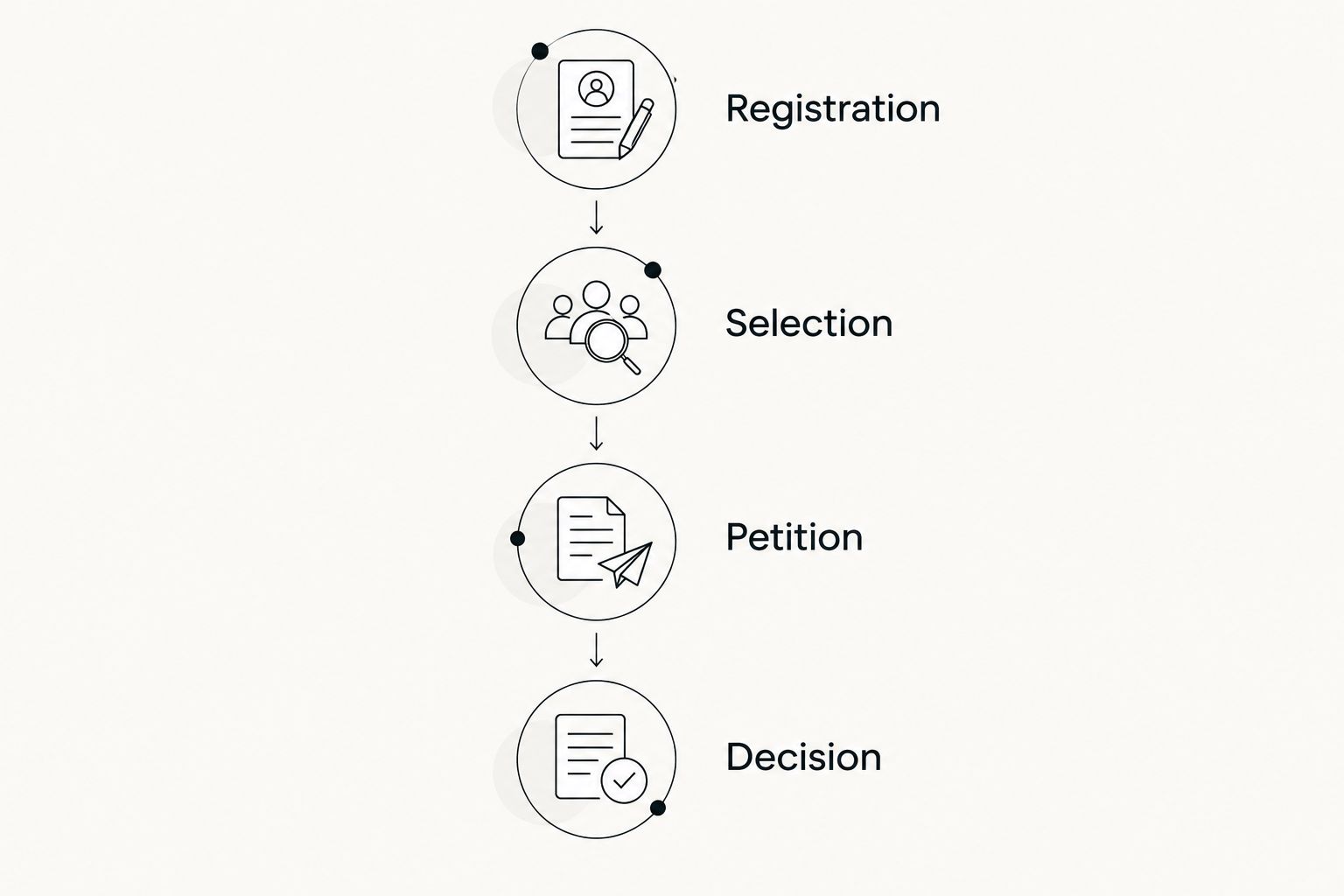
Build your record around the event that actually happened. The following sequence is an organizational model, not a promise that a particular registration will progress through every stage.
- Registration: Record what your employer or representative confirms was submitted.
- Selection: Preserve the official selection notice if one is issued for the registration.
- Petition: Keep the filing documents and receipt information distinct from registration records.
- Decision: Retain the decision notice and obtain advice about its effect on your circumstances.
At every stage, distinguish the event date from the date you learned about it. An employer’s message received later does not change the date printed on the underlying notice. Keeping both dates helps you reconstruct the sequence without rewriting the source document.
If you are moving from F-1 OPT toward H-1B, keep your OPT records separate as well. A lottery-related entry does not, by itself, establish a cap-gap extension or permission to continue working.
Which H-1B tracking option should you choose?
Start with the employer or authorized representative for the official registration result. Use USCIS Case Status Online when a filed petition has a receipt number, and maintain your personal records separately.
Choose EADly for an immigration timeline covering the record categories described above. Choose a spreadsheet if you prefer a manual evidence log, and use a calendar for follow-up tasks. These tools can support the same process without answering the same question.
Before saving a new entry, ask: What happened, who confirmed it, and which document supports it? If you cannot answer those questions, label the entry as a question or follow-up rather than a confirmed result.
FAQ
What’s the best h1b lottery tracker app in 2026?
For official registration information, start with the employer’s or authorized representative’s USCIS organizational account. For personal organization, choose a tool that keeps your saved records separate from official selection and petition decisions.
Can I check my H-1B lottery result in my own USCIS account?
A personal USCIS account does not automatically give you access to an employer’s H-1B registration. Request the registration information and any selection notice from the employer or authorized representative handling it.
Does selection in the H-1B lottery mean my petition is approved?
No. Selection permits the registrant to file the relevant H-1B cap-subject petition during the applicable filing period; USCIS must still adjudicate that petition. Selection alone does not grant H-1B status or work authorization.
Can USCIS Case Status Online show my lottery registration result?
No. USCIS Case Status Online uses a receipt number to look up a filed case, not an electronic registration result. Obtain registration information through the employer or authorized representative.
What should I save after my employer says I was selected?
Request and preserve the official selection notice. Keep it separate from later petition filing records, receipt notices, and decision notices so that each event remains identifiable.
Does an H-1B tracking app confirm that I can keep working on OPT?
No. A tracking entry does not establish continued work authorization or cap-gap eligibility. Ask your DSO and qualified immigration counsel to review the relevant documents and circumstances.
Should I enter passport information into a lottery prediction app?
Review why the service needs the information before entering it. Check its storage, sharing, access, and deletion terms, and do not treat a prediction as official registration evidence.
One last thing
Record the source, not just the status. “Selected” without a supporting document leaves an important question unanswered: selected according to whom? Keep the notice, preserve its date, and distinguish what it confirms from what still requires action.